
Bring your client spaces into File Explorer.
Mage Shares Sync is the Windows companion for Mage Shares. It keeps your spaces in a folder on your PC, so you can work with client files in familiar Windows tools while staying connected to the portal.

Free in the Microsoft Store for Windows 10 and Windows 11. Requires a Mage Shares account, ordered through Press Mage.
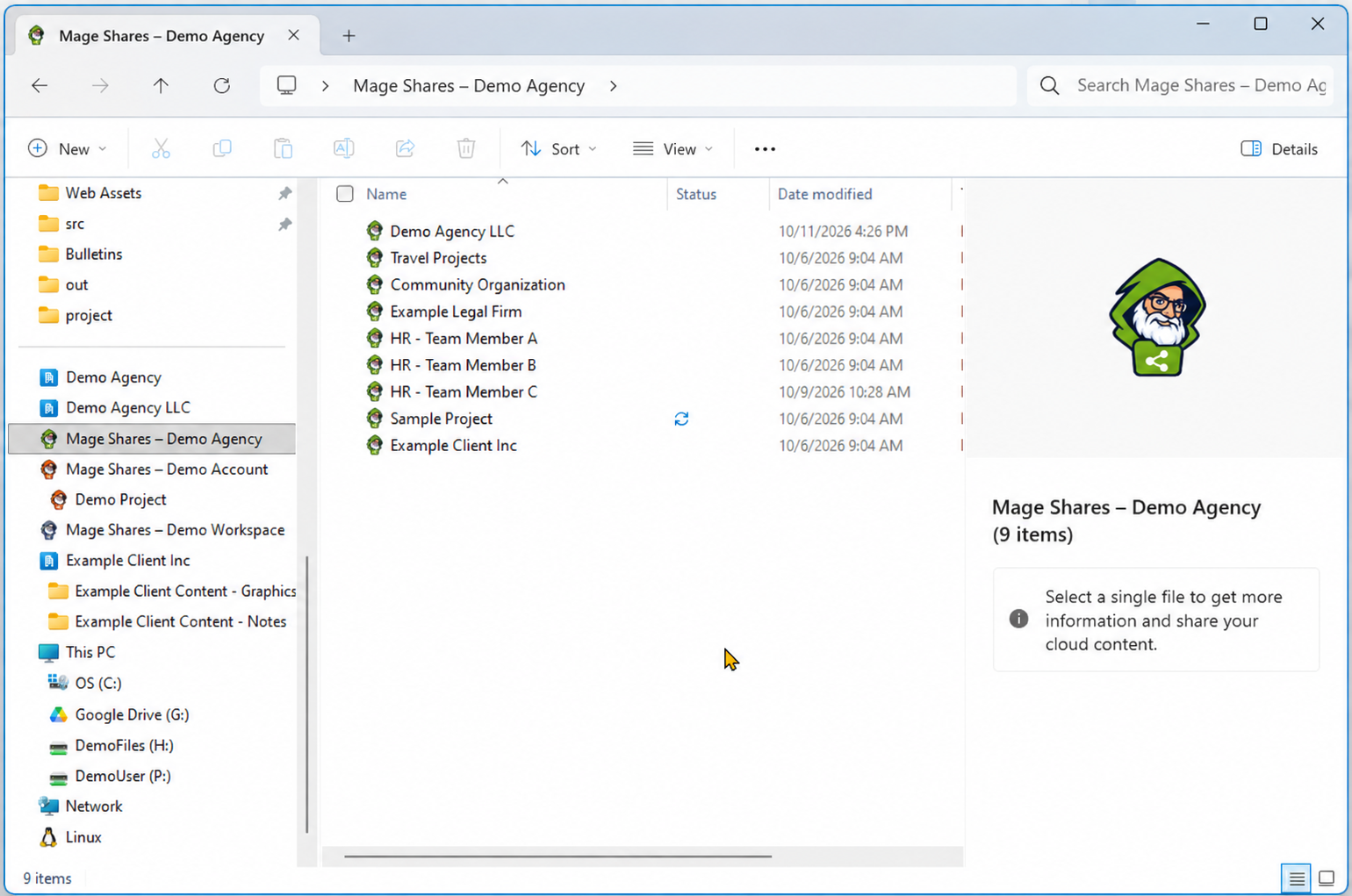
Your spaces, on your PC, in step with the portal.
Files on demand.
Files appear in File Explorer straight away without using disk space, and download when you open them.
Automatic syncing.
New files and edits on your PC upload to Mage Shares, and changes in the portal arrive on your PC.
Multiple accounts.
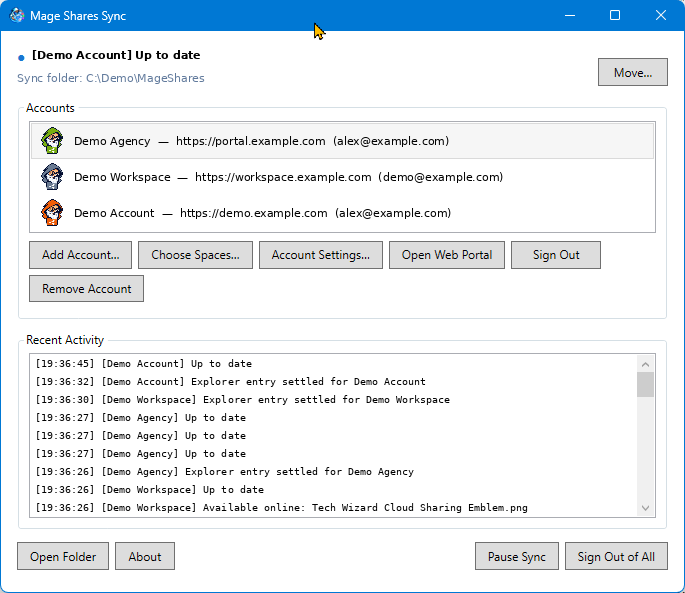
Connect more than one Mage Shares account, each with its own folder and color, and choose which spaces to sync.
Conflicts keep both copies.
If a file changes on your PC and on Mage Shares, both are kept. Your copy is renamed with your PC’s name and the date, and listed so you can resolve it.
Deletions are your decision.
Removing files on your PC doesn’t delete them on Mage Shares unless you confirm.
Quietly in the tray.
Runs in the notification area, can start with Windows, and shows sync status and recent activity. Pause and resume any time.
Deleted files on Mage Shares can be restored from Mage Jail for 5 days. Deleted folders and their contents cannot be restored.
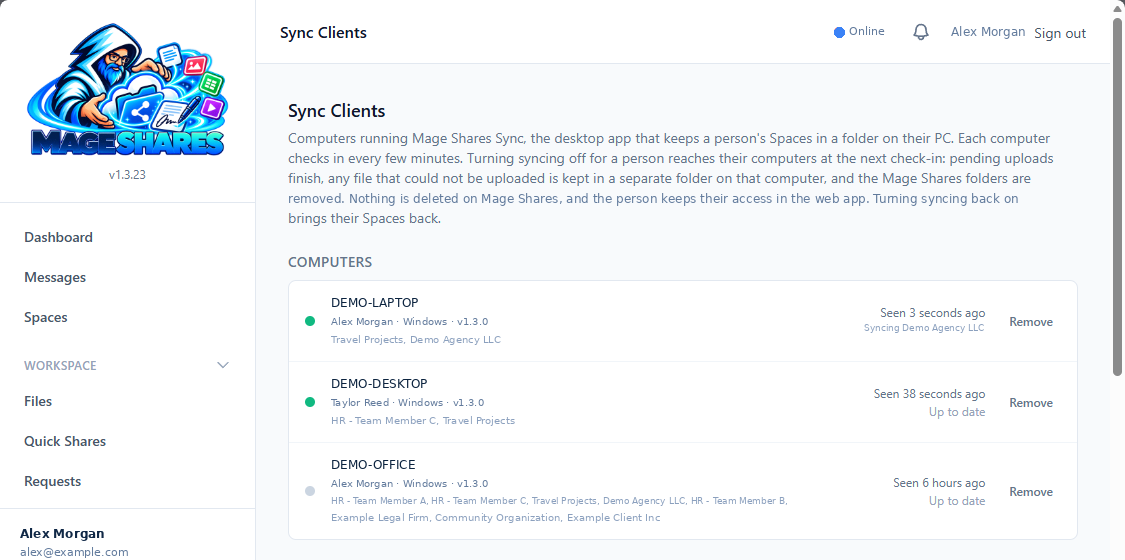
See every computer that syncs your spaces.
The Sync Clients page in the web app lists each computer running Mage Shares Sync, whose it is, which spaces it syncs and when it last checked in. Turning syncing off for a person removes the Mage Shares folders from their computers at the next check-in. Nothing is deleted on Mage Shares, and they keep their access in the web app.
Get Mage Shares Sync for Windows.
Install the free desktop app from the Microsoft Store. Don’t have Mage Shares yet? Order it through Press Mage.