
Every client handoff.
One branded portal.
Collect the files you need. Get work approved. Gather signatures. Keep the conversation moving. Mage Shares gives your team and clients one organized place to work together—with your brand at the center.
Built for agencies. Ready for lean teams. No per-seat tax.
- Files & requests
- Approvals & signatures
- Client conversations

Less chasing.
More moving forward.
Your clients see what to upload, review, sign and complete. Your team sees what needs attention across its spaces. Everyone knows where the work stands.
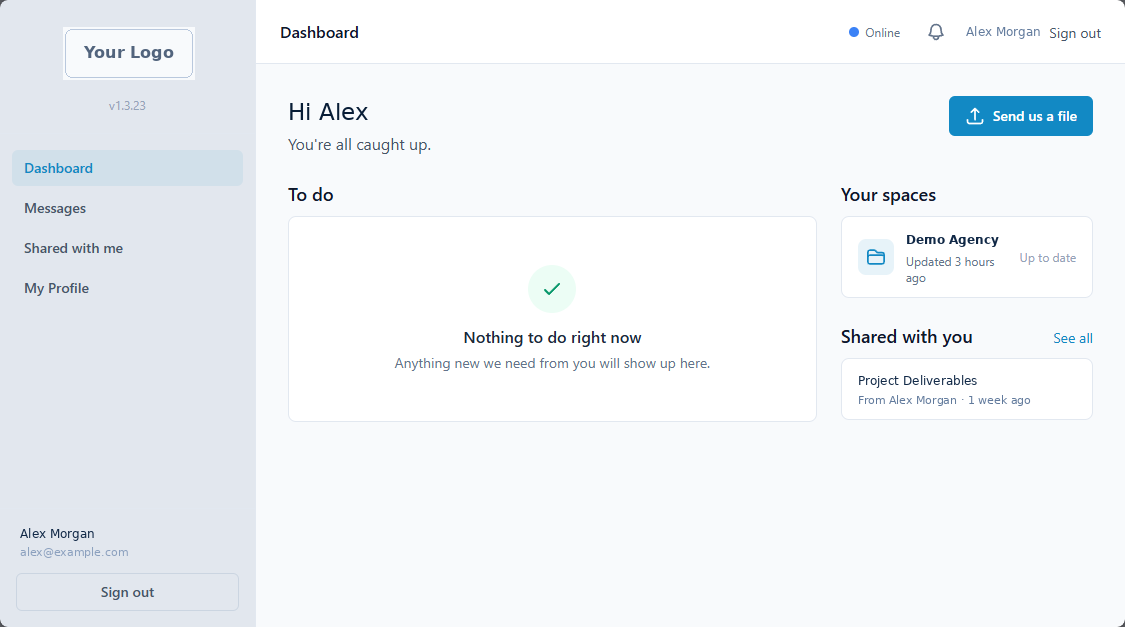
Screenshot of a client’s dashboard in a branded Mage Shares portal · sample data.
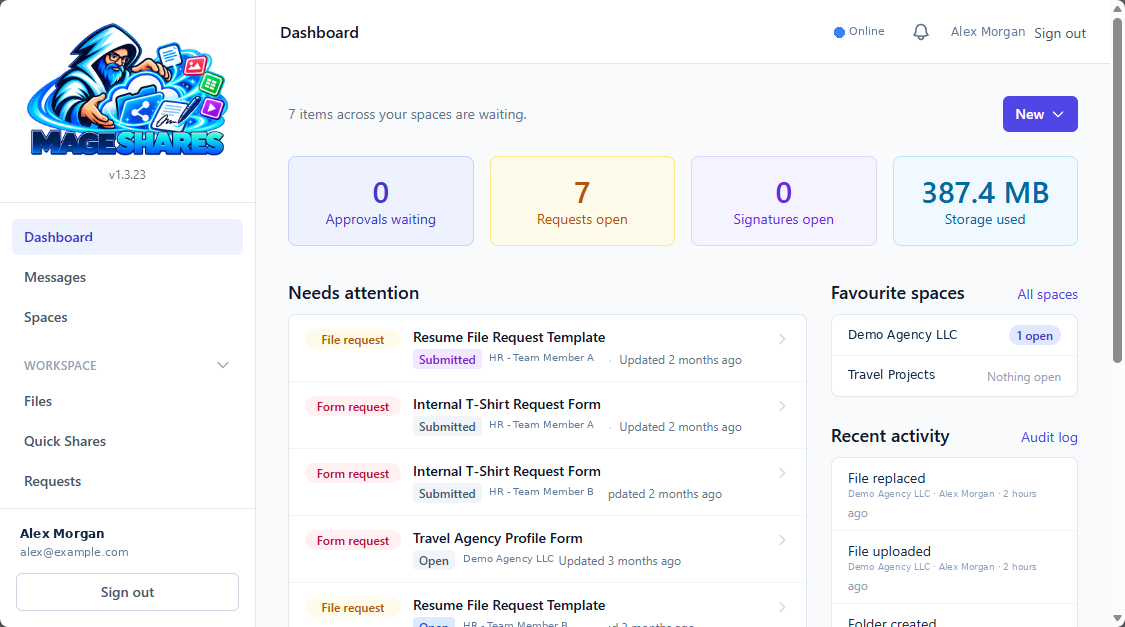
Screenshot of the team dashboard in the Mage Shares web app · sample data.

From “can you send that?” to “all set.”
Bring the steps around your client work into the same space.
Collect what you need.
Send a file checklist with required items, notes and a due date. Use intake forms to gather structured answers.
Get a clear decision.
Share a document, web page or article for review. Clients can approve, request changes or reject—with a record of each response.
Gather signatures.
Send contract text to one or several participants, choose the signing order and follow progress through completion.
Keep the conversation connected.
Discuss the work in space conversations, with a separate Team conversation for internal coordination.
The tools around the work, together.
Client spaces
Give every client or project an organized home for files, requests, approvals, forms, signatures and conversations.
Files with a history
Organize folders, preview supported formats and download earlier file versions when you need them.
Sharing with control
Use password-protected, expiring links or send tracked file bundles with Quick Shares.
Requests that are specific
Replace vague follow-ups with a checklist of the files you need and a due date clients can see.
Approvals with a record
Collect decisions on files, web pages and articles, with comments and review history.
Signatures with visibility
Coordinate multiple signers, send reminders and keep an audit trail and completion certificate.
Forms that save setup
Start with ready-made intake templates, collect structured answers and export submissions to CSV.
Messages in context
Talk with clients in their space and keep internal conversations for your team.
Make the portal feel like part of your business.
Set your portal name, logo, sidebar color and accent color. Add space-specific branding, welcome messages and contact details so every client arrives somewhere that feels considered and familiar.
- Portal branding with a live preview
- Space-specific welcome messages and colors
- Your portal name on notification emails
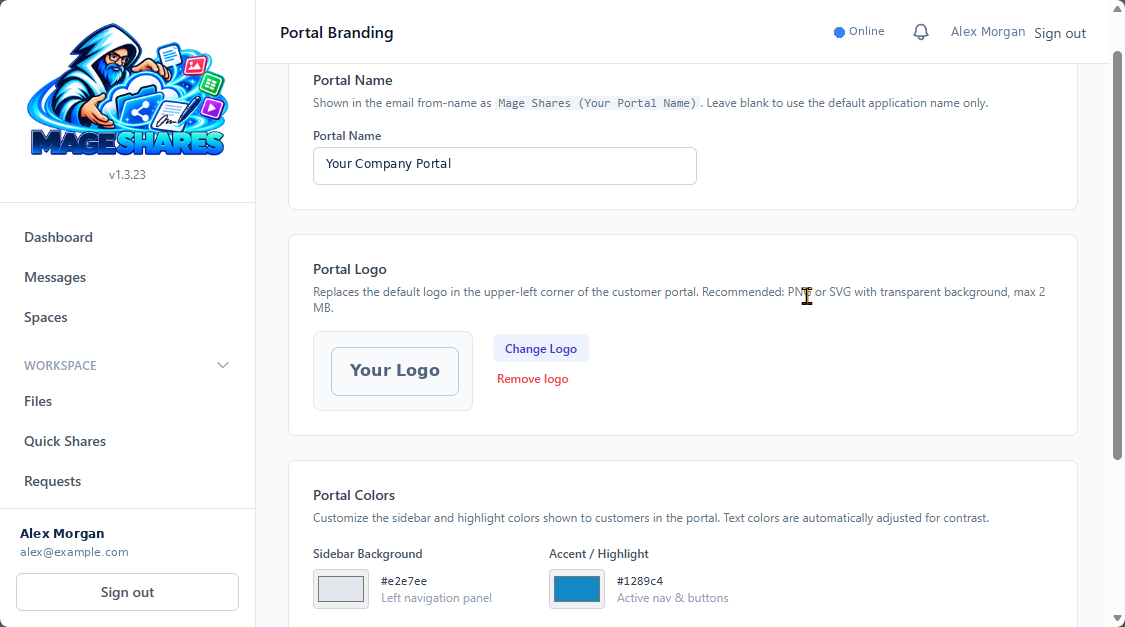
Practical safeguards for everyday collaboration.
Keep access intentional and sharing manageable.
Uploads checked before access.
Files and chat attachments are scanned for threats before preview or download; executables and scripts are blocked.
Share on your terms.
Set passwords, expiry dates and download caps where available, then revoke links when sharing is finished.
Keep clients in their spaces.
People see the spaces they are given access to. Internal conversations stay separate from client-visible conversations.
Keep a record.
Space activity and the owner’s audit log help you follow what happened.
Deleted files can be restored from Mage Jail for 5 days. Deleted folders and their contents cannot be restored.
Make collaboration part of the service you deliver.
A branded portal gives your agency a consistent way to onboard clients, collect assets, share deliverables and coordinate ongoing work. Include it in care plans, project engagements or retainers without adding a per-seat tax for every stakeholder.
Onboard with fewer follow-ups.
Create a space from a template, send intake forms and request the assets you need as a checklist.
Coordinate ongoing client service.
Use the same space for reports, updates, requests and conversations after launch.
Your client spaces, in File Explorer.
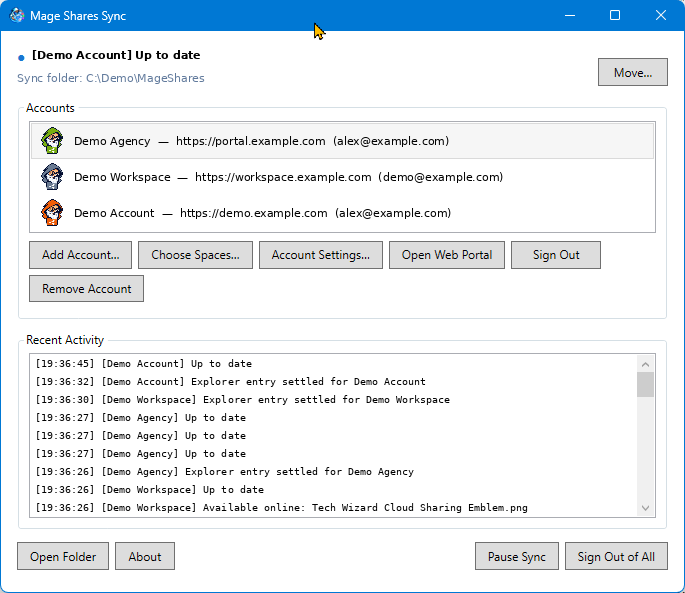
Mage Shares Sync for Windows keeps your spaces in a folder on your PC, with files on demand, automatic syncing and a confirmation before local deletions remove shared work.
- Windows 10 and 11
- Files on demand
- Multiple accounts

Free in the Microsoft Store. Requires a Mage Shares account.
Add resources. Keep collaboration open.
Mage Shares is ordered and managed through Press Mage. Start with a plan and add Space Pod storage as your client work grows. The pricing model is based on resources, with no per-seat tax.
Mage Shares Starter $29/mo · Space Pod storage from $8/mo
A few things to know.
How do I get started?
Create an account through Press Mage Manager, order a Mage Shares plan and any Space Pod storage you need, brand the portal and invite clients to their spaces.
Do clients need an account?
Clients are invited to use their portal and assigned spaces. People receiving public file-share or Quick Share links can download without a portal account. Signing links support external recipients.
Does it charge per seat?
No. The model is based on service resources, with storage add-ons available as needs grow. Check current capacity and service limits through Press Mage.
Can deleted items be restored?
Deleted files and their versions can be restored from Mage Jail for 5 days unless permanently removed sooner. Deleted folders and their contents cannot be restored.
Is there a desktop app?
Yes. Mage Shares Sync for Windows is a free download from the Microsoft Store. It keeps your Mage Shares spaces in a folder on your PC and requires a Mage Shares account, which you order through Press Mage.
Give every client a better place to work with you.
Bring the next upload, review, signature and conversation into one branded portal. Start through Press Mage and make Mage Shares part of your client experience.